Begin a run you can actually finish
Open the game window on the homepage and press Play. The mode screen belongs to the game itself. Pick Classic for a first attempt: having the numbers in front of you makes it easier to notice what changes between candidates. HoopIQ is available when you want to make those calls without the stat line.
On a phone, start in portrait orientation and expand the game window if the list feels cramped. Scroll the candidate list inside that game window on the homepage.
Follow the screen in this order
- 1Spin
- 2Read the draw
- 3Inspect players
- 4Choose a card
- 5Place the player
Repeat this round sequence for each of the five picks.
Wait for both parts of the roll
Use SPIN and let the animation settle. Read TEAM and ERA together before searching. Knowing the franchise without the era is not enough to identify the pool. If you have a favorite player in mind, first check whether the drawn combination could contain that version.
Open up the candidate list
Start with ALL to see the pool, then narrow it with a name search or G, F and C. A short list may be the result of the controls you just applied. Clear the name field and choose ALL to check before dismissing the draw. A new team-and-era draw resets these viewing controls.
In Classic, inspect the card columns before choosing. If a term is unfamiliar, the Classic control guide explains how to work with sorting and filters without confusing them.
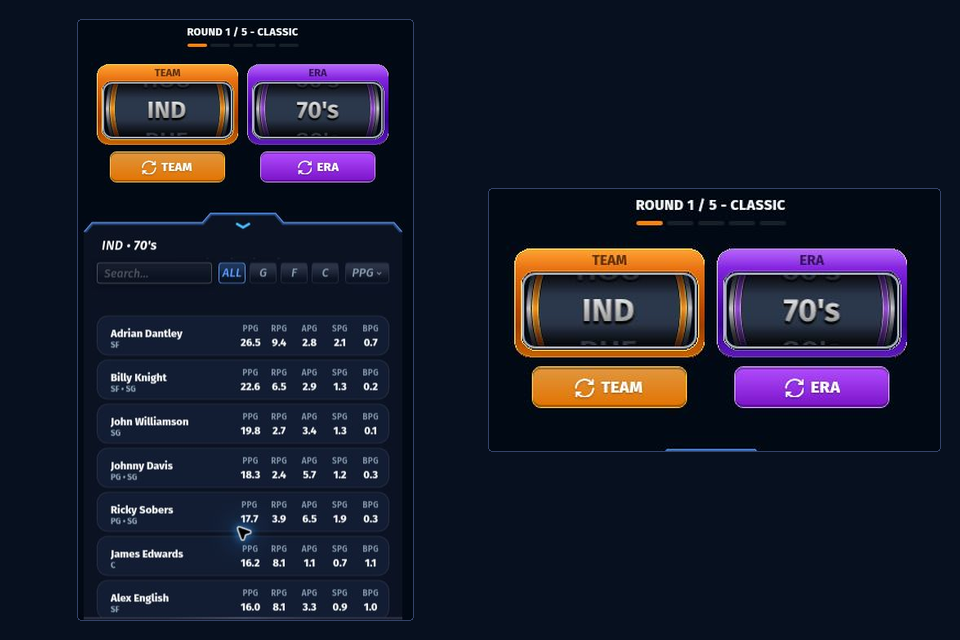
Select, then place
Tap a candidate to bring up the placement step. Use one of the open jersey positions the board offers for that card. The ordinary draft checks position compatibility: a player who cannot fit any remaining slot may be unavailable even though the name belongs to the drawn team and era.
Tap an eligible open jersey to make the placement. Check that the board now shows the player in that slot and that the round has advanced. Do not repeatedly tap another candidate while the first action is still being processed. The rules ledger separates a valid candidate, an open slot and a completed placement.
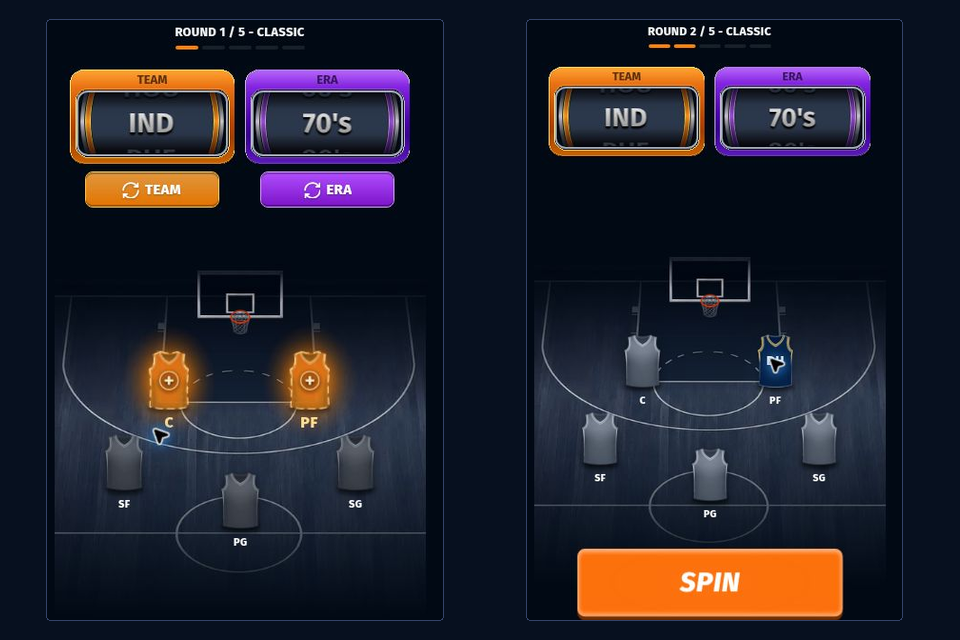
Move a placed card when the board offers it
A filled jersey can sometimes move to another compatible space. Finish or cancel the current candidate selection first. Then select a movable filled jersey and choose one of its highlighted destinations. Selecting the source jersey again cancels the move.
- Clear the candidate selectionTap the selected candidate again if it is still armed.
- Select a movable jerseyThe board offers only legal destinations.
- Choose the highlighted targetEvery affected card must fit its new position.
Use the board's offered action rather than assuming two arbitrary players can swap. A legal rearrangement can help before a later candidate is placed; it cannot overwrite a player or create a sixth roster space.
Carry the board into the next round
After placing a player, read the open jerseys again. The board changes even when your preferred type of player does not. With one space left, check compatibility before comparing names; the final-pick guide also explains how a legal move can free a different space.
TEAM redraws the franchise and keeps the era. ERA redraws the era and keeps the franchise. Read the available uses and any displayed cost first. On a first run, taking a card that fits is a useful way to learn the whole sequence before tackling respin decisions.
After the fifth placement, let the game calculate its result. Read wins and losses together. A total of 82 games is the season length; 82 wins is the undefeated target. Keep a screenshot of the lineup with the result if you want to review the choices later.
Find the step that stopped
| What you see | What to check | Next action |
|---|---|---|
| A surprisingly short list | Clear the name search and inspect the position filter. | Choose ALL and inspect the unfiltered pool. |
| A name you cannot place | Look at the card's compatible positions and the open jerseys. | Check a legal jersey move or another candidate. |
| A player still waiting for placement | Choose an offered open jersey and wait for the board to update. | Look for the placed name and the next-round control. |
| An unfinished calculation | Read any connection message before restarting. | Capture the current board before restarting. |
First-run completion check
Mark the checks you complete during the walkthrough. Clear the checklist when you start a fresh attempt; its boxes are your own notes on the controls.
Can you go 82-0? That question becomes useful once you can complete the controls reliably. For the next attempt, choose one decision from the strategy directory to work on rather than changing every part of your draft at once.