Sports

Monster Truck Simulator Game

Monster Truck Simulator Game offers 20 levels of demolition and stunt driving with realistic controls and a rewind feature.

Ready — press Play
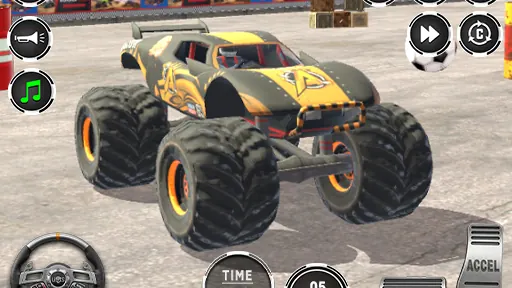
Monster Truck Simulator Game gameplay preview

The game loads only after you press Play.

About Monster Truck Simulator Game

Monster Truck Simulator Game puts you behind the wheel of a powerful monster truck with two distinct play styles. Start in Monster Demolish Mode, where the goal is to smash obstacles and destroy everything across 10 challenging levels. Then switch to Monster Stunt Mode for crazy jumps and impossible tracks.

Mastering Demolish and Stunt Modes

In Demolish Mode, you'll drive through each level, targeting obstacles and structures to cause maximum destruction. The realistic vehicle controls give you a sense of weight and power as you crush everything in your path. Use the rewind feature to retry any moment, perfecting your run without restarting the whole level.

Stunt Mode shifts the challenge to precision and airtime. You'll navigate impossible tracks, launching off ramps and performing crazy jumps. With 10 levels in each mode, you'll need to adapt your driving style. Multiple camera views help you judge distances, while the horn and music system add to the atmosphere.


PLAY BETTER

Monster Truck Simulator Game tips

  1. In Demolish Mode, aim for clusters of obstacles to maximize destruction per pass.
  2. In Stunt Mode, use the rewind feature to practice tricky jumps without restarting.
  3. Switch camera views to better judge landing angles and distances.
  4. Use the horn to add fun, but don't let it distract you from the track.
QUICK ANSWERS

Monster Truck Simulator Game FAQ

What are the two game modes in Monster Truck Simulator Game?

The game features Monster Demolish Mode, where you smash obstacles across 10 levels, and Monster Stunt Mode, with 10 levels of crazy jumps and impossible tracks.

How does the rewind feature work?

The rewind feature lets you retry any moment during a level, so you can correct mistakes without restarting the entire run.

What controls are available on PC and mobile?

On PC, use WASD or Arrow Keys to drive. On mobile, use on-screen buttons. In both, use the race button to accelerate and brake to stop.